
🎁 Get 50 ₴ off your first order!

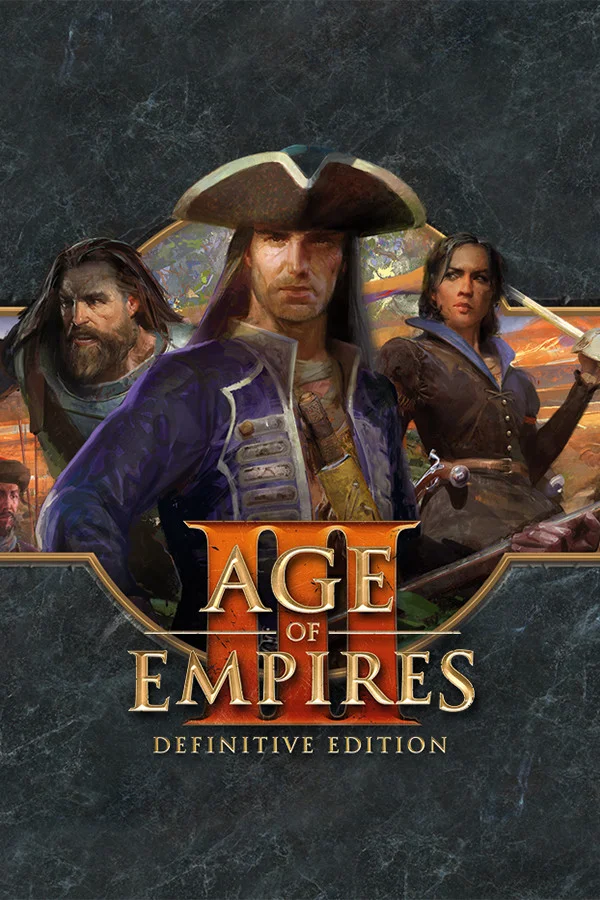
Age of Empires III: Definitive Edition - Microsoft (Global)

(0)
SKU: 2507
In stock
Select variant:
₴549
You'll earn +10 UAH cashback
  • Product typeGame
  • PlatformMicrosoft
  • RegionGlobal
  • LanguageEnglish, Russian, French, Italian, German, Spanish, Japanese, Korean, Portuguese, Chinese, Turkish, Vietnamese, Malay
  • GenreStrategy
  • Game modesSingleplayer, Multiplayer
  • Release dateOct 15, 2020

Product description

Age of Empires III: Definitive Edition is a remastered version of the classic real-time strategy game with 4K Ultra HD graphics and fully enhanced audio. It includes the original Age of Empires III and all previously released expansions, The WarChiefs and The Asian Dynasties, with all 14 civilizations, plus two new civilizations: the Swedes and the Inca.

Players take control of empires from Europe, Asia and the Americas, using unique civilization bonuses and Home City cards. Alongside the campaigns, the game offers two new modes: Historical Battles and The Art of War Challenge Missions, which teach the fundamentals and advanced strategies.

Players can fight AI opponents on a variety of maps or challenge others online with cross-network play. Spectator mode and mod support are also included.

System specifications

Minimum requirements

OS
Windows 10 version 18362.0 or higher
Processor
Intel i3-2105 @ 3.1GHz or AMD Phenom II X4 973 with an average CPU Passmark score of 3735 or better
RAM
8 GB RAM
Graphics card
GeForce GT 430, Radeon HD 5570, or Intel HD 4400 with an average Passmark G3D Mark of 570 or better
DirectX
Network
Storage
42 GB available space
Additional

Recommended requirements

OS
Windows 10 version 18362.0 or higher
Processor
Intel i5-3300 @ 3.0GHz or AMD FX-8350 or equivalent with an average CPU Passmark score of 4100 or better
RAM
16 GB RAM
Graphics card
GeForce GTX 980 or Radeon R9 Fury or equivalent with an average Passmark G3D Mark of 9500 or better
Storage
42 GB available space

Activation instructions

Activation in the Microsoft Store

  1. Go to redeem.microsoft.com or open the Microsoft Store.
  2. Sign in to your Microsoft account.
  3. Choose Redeem code.
  4. Enter the 25-character code and confirm the activation.

Customer reviews

Leave a review
Rating

Only authorized users can leave a review

Sign in or register

No reviews for this product yet

Be the first to leave a review

Customers also bought