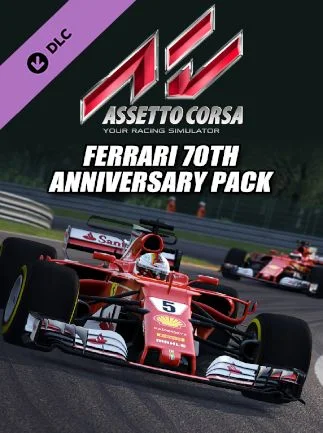

Assetto Corsa - Ferrari 70th Anniversary Pack - Steam (Global)
- Product typeDLC
- PlatformSteam
- RegionGlobalActivates everywhere except: Belarus, Russia
- LanguageEnglish, Italian
- GenreSimulation / Racing
- Game modesSingleplayer, Multiplayer
- Release dateSep 19, 2017
Product description
The bundle includes:
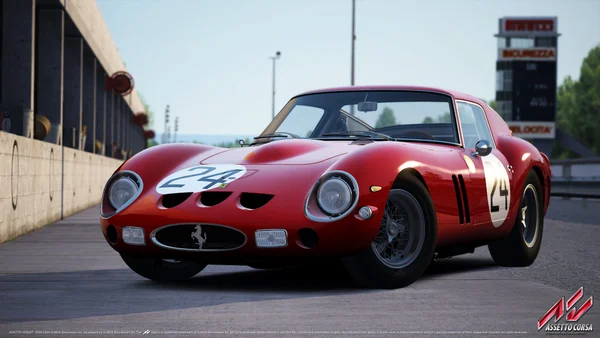
- Ferrari 250 GTO (1962)
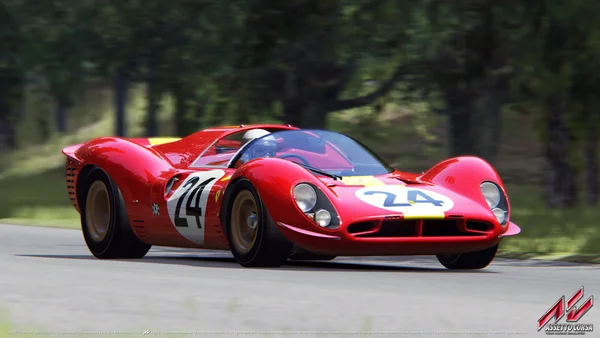
- Ferrari 330 P4 (1967)
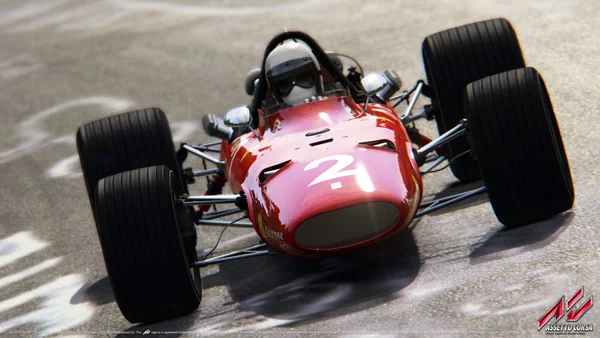
- Ferrari 312/67 (1967)
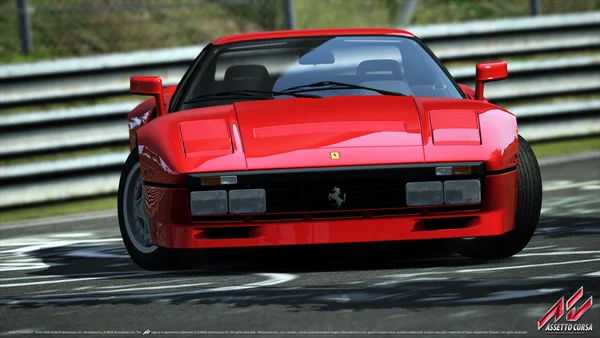
- Ferrari GTO (1984)
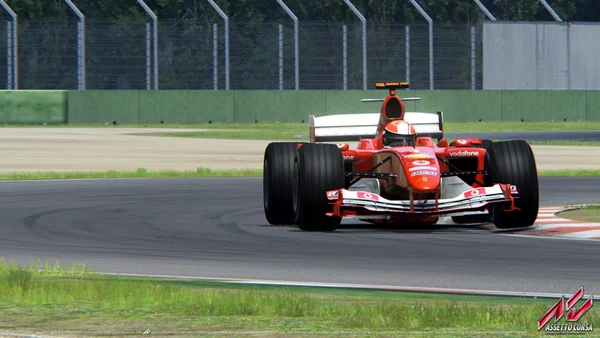
- Ferrari F2004 (2004)
- Ferrari 812 Superfast (2017)
- Ferrari SF70H (2017)
The Assetto Corsa - Ferrari 70th Anniversary Pack celebrates seventy years of Ferrari with seven cars from the Italian manufacturer's history. One of them, the SF70H that Scuderia Ferrari raced in the 2017 Formula 1 World Championship, was chosen by the community in a vote.
The pack mixes road and racing cars from different eras. The 250 GTO was the pinnacle of the 250 GT series and equally at home on the road or the track. The 330 P4, with its radically redesigned V12, earned its place in history with a 1-2-3 finish at Daytona. The 1984 GTO, also known as the 288 GTO, was conceived as the spiritual successor to the 250 GTO.
The F2004 powered Ferrari's record 2004 season, and the 2017 812 Superfast continues Ferrari's line of 12-cylinder cars. The new models join the Ferrari cars already available in the simulation.
System specifications
Minimum requirements
- OS
- Windows Vista Sp2 - 7 Sp1 - 8 - 8.1 - 10
- Processor
- AMD Athlon X2 2.8 GHZ, Intel Core 2 Duo 2.4 GHZ
- RAM
- 2 GB RAM
- Graphics card
- DirectX 10.1 (e.g. AMD Radeon HD 6450, Nvidia GeForce GT 460)
- DirectX
- soundCard: Integrated, directx: Version 11
- Network
- soundCard: Integrated, directx: Version 11
- Storage
- 1 GB available space
- Additional
- soundCard: Integrated, directx: Version 11
Recommended requirements
- OS
- Windows Vista Sp2 - 7 Sp1 - 8 - 8.1 - 10
- Processor
- AMD Six-Core CPU, Intel Quad-Core CPU
- RAM
- 4 GB RAM
- Graphics card
- DirectX 11 (e.g. AMD Radeon 290x, Nvidia GeForce GTX 970)
- Storage
- 1 GB available space
Activation instructions
Activation in Steam
- Launch the Steam client and sign in.
- Click “+ Add a Game” in the bottom-left corner of the window (or open the “Games” menu at the top).
- Choose “Activate a Product on Steam”.
- Enter the key you received and follow the on-screen instructions.
Customer reviews
Only authorized users can leave a review
Sign in or registerNo reviews for this product yet
Be the first to leave a review