
Cities: Skylines - Campus - Steam (Global)
- Product typeDLC
- PlatformSteam
- RegionGlobalActivates everywhere except: Belarus, Russia
- LanguageEnglish, Russian, French, German, Spanish, Polish, Portuguese, Chinese, Korean
- GenreSimulation / Strategy
- Game modesSingleplayer
- Release dateMay 21, 2019
Product description
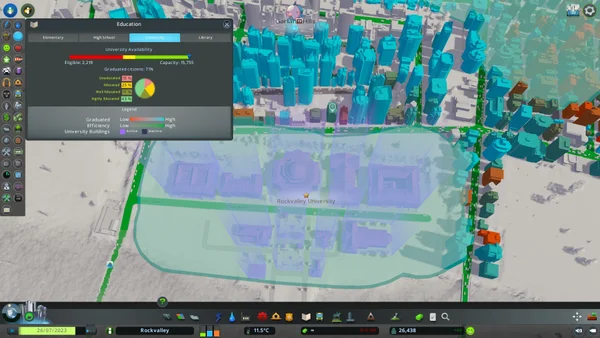
Cities: Skylines - Campus is an add-on (DLC) for Cities: Skylines about university life and higher education. It adds new campus area types: Trade School, Liberal Arts College and University.
Attract students, raise the reputation of your campus and create Academic Works to unlock new buildings. Nine unique faculties are available, scientific achievements can be displayed in museums, and graduation ceremonies let you celebrate with your citizens.
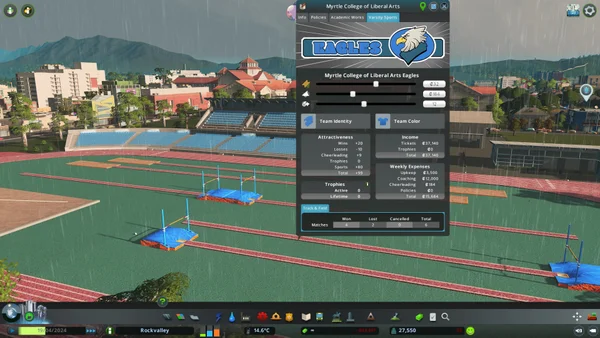
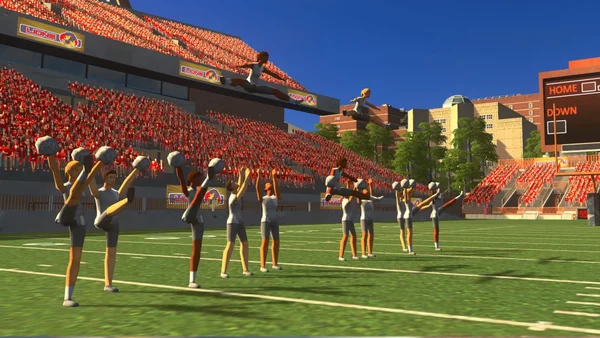
The add-on also brings varsity sports to your city: build five types of sports arenas, manage your teams, hire coaches, sell tickets and collect prizes for winning matches. Team jerseys, buses and security can be customized.
You also get seven new policies, including book fairs and for-profit education, research grants to sponsor academic works, five new maps and three new Chirper hats.
System specifications
Minimum requirements
- OS
- Microsoft Windows XP/Vista/7/8/8.1 (64-bit)
- Processor
- Intel Core 2 Duo, 3.0GHz or AMD Athlon 64 X2 6400+, 3.2GHz
- RAM
- 4 GB RAM
- Graphics card
- nVIDIA GeForce GTX 260, 512 MB or ATI Radeon HD 5670, 512 MB (Does not support Intel Integrated Graphics Cards)
- DirectX
- directx: Version 9.0
- Network
- directx: Version 9.0
- Storage
- 4 GB available space
- Additional
- directx: Version 9.0
Recommended requirements
- OS
- Microsoft Windows 7/8 (64-bit)
- Processor
- Intel Core i5-3470, 3.20GHz or AMD FX-6300, 3.5Ghz
- RAM
- 6 GB RAM
- Graphics card
- nVIDIA GeForce GTX 660, 2 GB or AMD Radeon HD 7870, 2 GB (Does not support Intel Integrated Graphics Cards)
- Storage
- 4 GB available space
Activation instructions
Activation in Steam
- Launch the Steam client and sign in.
- Click “+ Add a Game” in the bottom-left corner of the window (or open the “Games” menu at the top).
- Choose “Activate a Product on Steam”.
- Enter the key you received and follow the on-screen instructions.
Customer reviews
Only authorized users can leave a review
Sign in or registerNo reviews for this product yet
Be the first to leave a review